


Get AI to trust and recommend you.
Your whole team, one platform.
The AI discoverability, trust, and control platform aligning multiple teams to a single source of truth.
organic CTR drop when an AI Overview appears above traditional results¹
more organic clicks for brands cited in AI Overviews vs. non-cited brands on the same queries²
overlap between top-10 organic rankings and AI Overview citations, up from 75% in mid-2025³
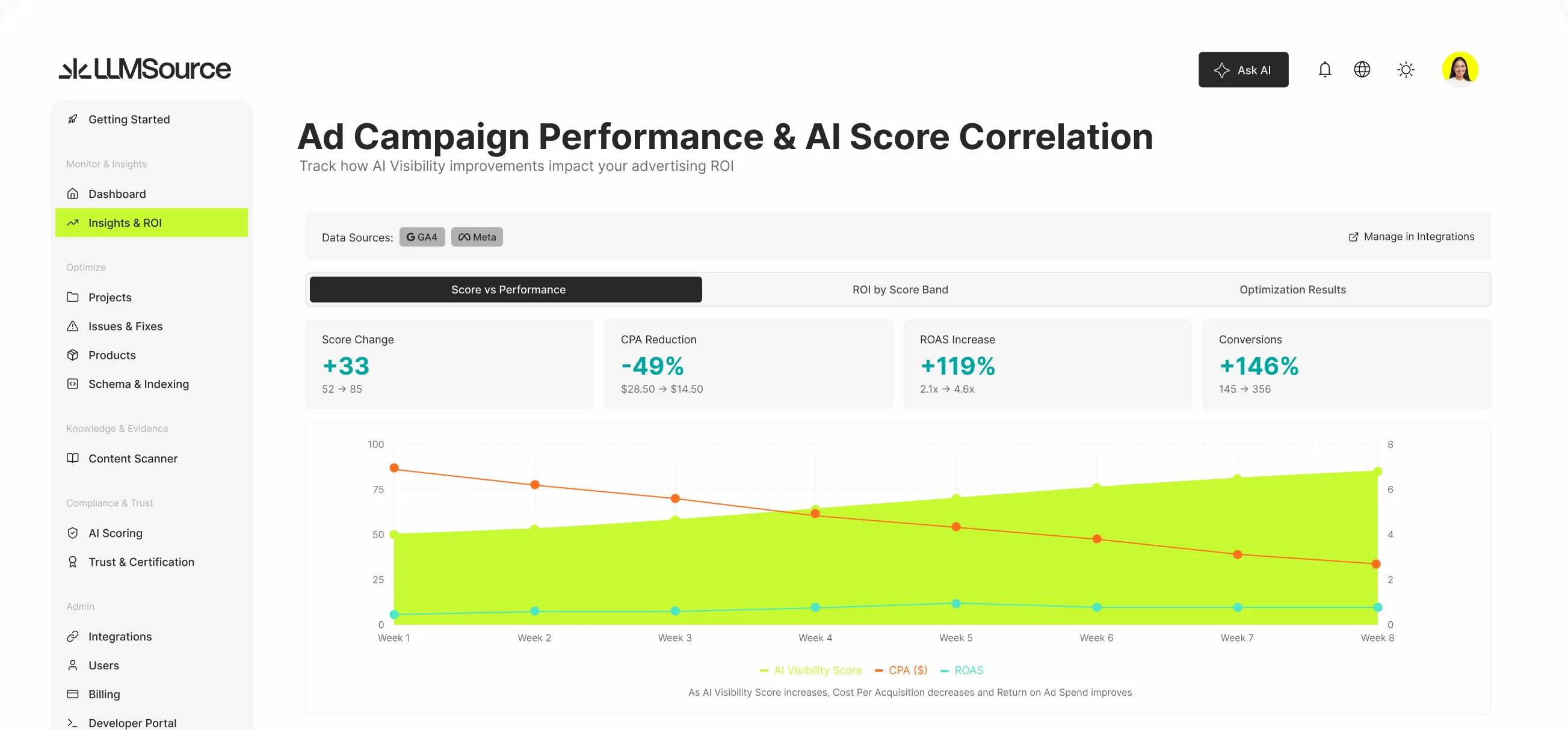
Built so marketing, dev, and SEO teams work from the same data

Know how AI systems represent the business
- Monitor how AI systems answers questions about your business in real-time
- Weigh accuracy, certification, and trust signals AI models use to decide what to cite
- Track consistency of ARS score, together with AI Quality Score (AQS) and AI Trust Score (ATS)

How a typical mid-market rollout runs
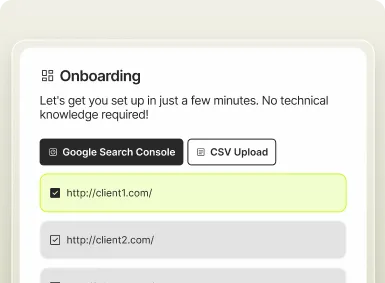
Connect and benchmark
Add up to 50 projects, then connect GA4, Search Console, and ad platforms. Run your first scan for baseline scores across quality, trust, and representation.
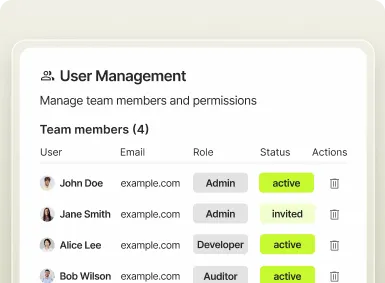
Assign roles and approval rules
Invite your team, assign roles, and set approval rules. Connect Slack, Teams, or Google Chat — everyone gets the right view.
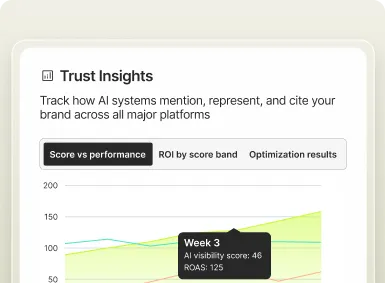
Deploy fixes, prove lift, expand
Dev team deploys fixes, marketing team tracks score lift, and the SEO Lead reviews citations monthly. The revenue report compiles itself quarterly.



Streamline your teams.
Multi expertise, one source of truth.
Marketing, dev, and SEO teams shouldn’t run on different numbers. LLMSource gives each role its own view, on one connected platform. See it for yourself on a demo.
Common questions
Monitoring tells you what AI says. It doesn’t fix anything. The Business tier closes the loop with visibility, remediation, and attribution under one platform with RBAC, so marketing, dev, and SEO teams work from the same data instead of three disconnected tools.
LLMSource connects to GA4 and Search Console, then correlates your AI Quality Score and AI Trust Score lift against organic sessions over time. The Marketing ROI View renders it as a plain-English summary that can be read in minutes, instead of a chart needing interpretation.
Each role gets its own view and its own alerts. The marketing team sees the ROI dashboard; the dev team sees the technical health board; the SEO Lead sees both plus citation share. Approval workflows mean no one ships changes without sign-off.
Business comes with six built-in roles: Admin, Project Manager, Editor, Developer, Auditor, External Partner. Each has its own permission matrix. Custom roles via the Permission Matrix are an Enterprise feature, where the governance committee can define exactly what each role can see and approve on a per-action basis.
Dev proposes a fix. The system routes it to whichever role you’ve designated as approver, typically the marketing team or the SEO Lead. They review the before-and-after JSON-LD preview in LLMSource, approve or reject with a comment, and the fix deploys on approval. Every action is logged. No one deploys changes alone.
Each alert type is mapped to a role, not a channel. Score drops route to the SEO Lead. Approval requests route to the Marketing Director or whoever you’ve designated. Critical issues route to the dev team. You can route by project, severity, or score threshold. Alerts land where action can happen, not in noise.
SSO (SAML 2.0) is available as a Business add-on ($300/mo) and native on Enterprise. We have working configurations for Okta, Azure AD, Google Workspace, OneLogin, and Ping. Automatic provisioning and deprovisioning through SCIM 2.0 is an Enterprise feature.
Google Ads and Meta Ads are included on Business. TikTok Ads or Custom integrations are available as a $99/mo add-on for each. The dashboard pulls campaign performance, CPCs, and conversion data alongside your AI search scores. You can see whether your AI citations are affecting paid CPCs, and where your organic foundation is lifting paid ROAS. Automated ROAS correlation analysis lives on Enterprise.
Yes. Business includes full REST API access for reading and writing every data point: scores, issues, fixes, citations, traffic correlation. Common patterns include nightly exports to Snowflake, BigQuery, or Looker via your existing ETL pipeline. Webhooks fire on score changes, critical issues, and approval requests.
Consider moving to Enterprise. You’ll get unlimited projects and unlock the full Control layer: policy-as-code, two-person rule, multi-entity governance, per-tenant encryption, SOC 2 audit export, and a dedicated CSM.